Educational workspace design content only — not medical advice, diagnosis, or treatment. Terms of Use · Privacy Policy

Educational Resource

Understanding Workspace Positioning Through Spatial Design

Daily positioning is shaped by the surfaces and layout around you. These guides explain how workspace architecture relates to sitting and standing habits — for general learning only, not as medical guidance.

Ask a Question
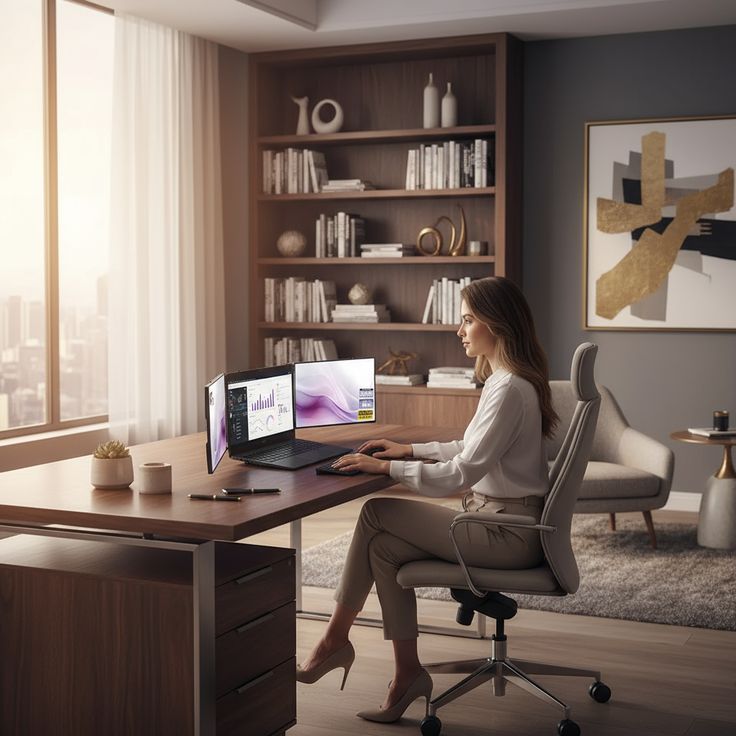
Desk workspace with monitor, chair, and keyboard arranged for comfortable screen viewing

Context Over Correction

Rather than focusing on holding a single ideal position, effective workspace design creates multiple viable resting points throughout the day. Chairs, footrests, and monitor arms each contribute options for comfortable positioning.

Duration Awareness

Remaining in one position for long stretches may feel less comfortable over time. Our educational materials discuss taking periodic position breaks, using environmental cues such as a standing mat placed near the desk.

Individual Variation

Body proportions, limb lengths, and personal preferences vary widely. Generic posture templates rarely account for these differences. We encourage measurement-based customization of desk and chair settings.

Non-Clinical Scope

The information presented here relates to workspace ergonomics and spatial design. It does not address medical conditions, injuries, or therapeutic interventions. Seek professional guidance for health-specific concerns.

Foundational Seated Positioning Principles

These examples draw from published workspace ergonomics references. They are starting points for self-assessment — not prescriptions for any health condition.

Chair Height

Adjust seat height so feet rest flat on the floor or a footrest, with thighs roughly parallel to the ground. Knees should sit at approximately a 90-degree angle or slightly open.

Monitor Placement

Position the top of the screen at or slightly below eye level when seated upright. Distance typically ranges from 20 to 30 inches depending on display size and visual acuity.

Keyboard and Mouse

Keep input devices close enough that elbows remain near the body at roughly 90 degrees. Wrist rests can provide support during pauses but should not be used while actively typing.

Transitioning Between Sitting and Standing

Height-adjustable desks offer positional variety, but the desk itself does not automatically improve habits. Effective use requires deliberate scheduling and proper surface height calibration for both modes.

Week 1: Observation

Track current sitting duration and identify natural break points in your workflow before introducing standing intervals.

Week 2: Short Intervals

Begin with 10–15 minute standing periods after completing focused tasks. Use a timer or calendar reminder as an environmental cue.

Week 3: Height Calibration

Adjust desk height so elbows form approximately 90 degrees while standing. Monitor should remain at eye level without downward neck tilt.

Week 4: Pattern Review

Evaluate which tasks feel comfortable while standing versus sitting. Match activity type to position rather than alternating arbitrarily.
30–45

Example interval (minutes) cited in our educational materials for position breaks

2:1

Example sitting-to-standing ratio discussed in beginner guides

Standing mat

Optional accessory mentioned for longer standing intervals

Figures are illustrative examples from educational content — not personalized recommendations or health instructions.

Common Misconceptions About Posture

Published workspace design literature often emphasizes movement variety over holding one static position. A well-arranged workspace can offer multiple comfortable configurations rather than enforcing a single form.
Equipment provides capability, not behavior. Without intentional scheduling and proper height settings, standing desks often go unused. Environmental design and habit formation work together.
We do not recommend, sell, or evaluate wearable corrective devices. Our focus is workspace layout and environmental design. Speak with a qualified healthcare professional about any device intended to address a physical concern.

Posture Awareness Program

A four-module educational series focused on observation, environment, and habit integration. Not a medical program — designed for general learning.

Module 1: Self-Observation

Learn to document your current positioning patterns using simple logging templates over a five-day period.

Module 2: Measurement

Take body and furniture dimensions to identify mismatches between your proportions and current setup.

Module 3: Environment Tweaks

Apply low-cost adjustments — monitor risers, footrests, lumbar cushions — based on your assessment results.

Module 4: Habit Loops

Build position-change routines tied to existing work habits like finishing emails or starting video calls.

Sources We Draw From

Our educational content synthesizes publicly available research and industry standards. We cite general categories rather than endorsing specific commercial products.

  • Human Factors and Ergonomics Society publications
  • Published workplace ergonomics and spatial design references
  • Occupational safety and workspace layout guides from public agencies

Workspace education works best when readers understand the reasoning behind each layout suggestion. We prioritize clear explanations so you can adapt principles to new environments independently.

— Editorial perspective, content development team

Explore Alignment Architecture Next

Posture and spatial alignment work together. Continue to our alignment guides for furniture placement and environmental design strategies.

View Alignment Guides